1 photos
AI Cinema Breakout: The Train Coming Out of the Screen
Sit in the front row of a packed cinema as a steam train smashes out of the screen toward you. A short, silent clip from one photo.
- One photo, a front-row seat
- Train bursting through the screen
- A big reaction, made for sharing
Make a Hotel Lobby rap video
Add two selfies and get a 12-second rap duo video with an original song written around your names.
Make our rap videoYour photos in. A share-ready result out.
Choose a scene
Pick an effect and check which photos it needs. Real examples appear after review.
Add your people
Give each role its own clear photo of a consenting adult.
Confirm, then create
Review the credits, generate, and download from your history.
The short answer
The cinema breakout AI trend puts you in the front row of a packed movie theater as a train bursts out of the screen. From one photo, the effect places you in a red velvet seat in a dark cinema, then a steam train on the giant screen breaks through into the room, smoke and debris fly past, and you flinch before laughing in amazement. The vertical clip runs about 8 seconds and is silent.
What's new
- Expanded the page with a step-by-step guide, photo tips and answers to common questions.
How to make it
- 1
Add one clear photo
In the maker above, add a sharp photo of one adult showing the face and upper body: you, or someone who agreed to it. You can pick it on this device before signing in; it stays in your browser and uploads only after you sign in.
- 2
Sign in
Sign in to upload the photo and keep the clip in your history. One account and one credit balance cover every effect.
- 3
Check the cost, then confirm
The maker shows the credit cost and the clip length before anything is charged. Confirm when both look right; the credits are charged when the task is created.
- 4
Let it generate
The effect first creates a vertical frame of you in the front row, lit by the glow of the screen, then animates the train breaking through. Automated safety checks run on the result, and some results get a quick human review, usually within a day.
- 5
Download the MP4
When it's ready, download the MP4 from your history. Results are kept for 30 days, so save the file you want to keep.
What you get
- One vertical 9:16 video, about 8 seconds by default, as an MP4 file.
- You in a red velvet front-row seat of a dark, packed cinema, lit by a huge screen, with audience silhouettes behind you.
- A steam train that bursts through the screen into the room, with smoke and debris flying past the front row.
- Your reaction: a flinch back, then a laugh of amazement, while the audience behind you reacts too.
- Dramatic flickering light and a slight camera shake for a big-screen feel.
- A silent clip with no lip-sync, ready for your own licensed audio.
Photo tips
- Use a photo of one adult with the face and upper body clearly visible.
- A front-facing photo works best, so your expression reads clearly when you flinch and laugh.
- A natural or relaxed expression is fine; the effect adds the surprise and the laugh.
- Even light helps. The scene relights you with screen glow, but a dark or blurry photo leaves less detail to work from.
- Avoid sunglasses, hats that shade the face, heavy filters and group shots.
- Upload a sharp JPEG, PNG, WebP or AVIF file under 10 MB.
Good to know
The cinema, the steam train and your reaction are fixed for this effect, so you can't choose a different film, vehicle or seat. The scene is dramatic but not violent: smoke and debris fly past, nobody is hurt, and the moment ends in laughter. Fast motion, flickering light and camera shake can soften faces and hands, and the audience behind you is generated. Exact likeness is not guaranteed. The clip is silent, with no lip-sync. Each effect opens for generation only after its own sample checks, and the status shown on this page tells you whether this one is open. Watch the whole clip before sharing.
Before you create
What is the cinema breakout trend?
It's a short clip where something on a movie screen seems to burst into the theater while the person in the front row reacts. It plays on the old movie-house legend of early audiences ducking from a filmed train. This AI version builds the whole scene from one photo of you, with a steam train as the co-star.
How do I make the train coming out of the screen video with AI?
Add one clear photo in the maker above, sign in, check the credit cost and length shown, then confirm. The effect seats you in the front row, animates the train breaking through the screen and runs safety checks. When it's ready, download the MP4 from your history.
Do I need an app, a CapCut template or a prompt?
No. It runs in your web browser, with no app to install, no CapCut template to import and no prompt to write. The cinema, the train and your reaction are already set by the effect.
How many photos and people does it need?
One photo, and it must show exactly one adult. You're the only main character; the audience behind you is generated. If you want friends in a scene, pick an effect that asks for one photo per person.
Does the video include music or sound?
No. The clip is silent, with no train sounds, song, voice or lip-sync. If you want the rumble, add your own licensed audio or sound effects after downloading.
How long is the video, and where can I post it?
It runs about 8 seconds by default, and the exact length is shown with the credit cost before you confirm. You get a vertical 9:16 MP4 that suits TikTok, Instagram Reels and YouTube Shorts. Follow each platform's rules and use its AI-content label where one applies.
Is the scene scary or violent?
It's built as a jump scare that turns into a laugh, not a disaster scene. Smoke and debris fly past the front row, nobody is hurt, and your reaction moves from a flinch to amazement. The train, the theater and the reaction are fixed for this effect.
How much does it cost?
The credit cost is shown in the maker before you confirm. Credits come in one-time packs that never expire, or in an optional monthly or yearly plan. If a confirmed generation fails, the credits charged for that attempt are returned once, and unused paid credits can be refunded within 168 hours of payment.
What photo works best?
A sharp, well-lit photo of one adult facing the camera, with the face and upper body in view. A relaxed expression is fine, since the effect adds the surprise. Avoid sunglasses, heavy filters, group shots and tiny faces.
Can I use someone else's photo or a celebrity's?
Only photos of yourself or of an adult who agreed to it, and only if you have the right to use the photo. Photos of celebrities, public figures and anyone under 18 are not allowed. Uploads and results pass automated safety checks, and some get a human review.
Is this a face swap or a real movie clip?
Neither. It doesn't paste your face onto existing footage, and the train isn't taken from any real film. The cinema, the train, the smoke and your reaction are generated new, with your photo as the reference for your face and look.
What happens if a generation fails or the result looks off?
If a confirmed generation fails, the credits charged for that attempt are returned to your balance once. Some results wait for a quick human review, usually within a day. If a finished clip looks wrong, open a support ticket from your account settings. Results stay in your history for 30 days.
Take your front-row seat
Add one clear photo in the maker above, check the credit cost, and confirm when you're ready. You'll get a silent, vertical clip of the train bursting off the screen, ready for your own licensed audio and a caption.
Start with your photosTry another scene
11 / 2 photos
Zombie Story
One of you has turned. The other raises a pistol, cannot shoot, drops it and hugs them, then the clip cuts to a happy memory of you both. 12 seconds, vertical, with an emotional score.
Try this effect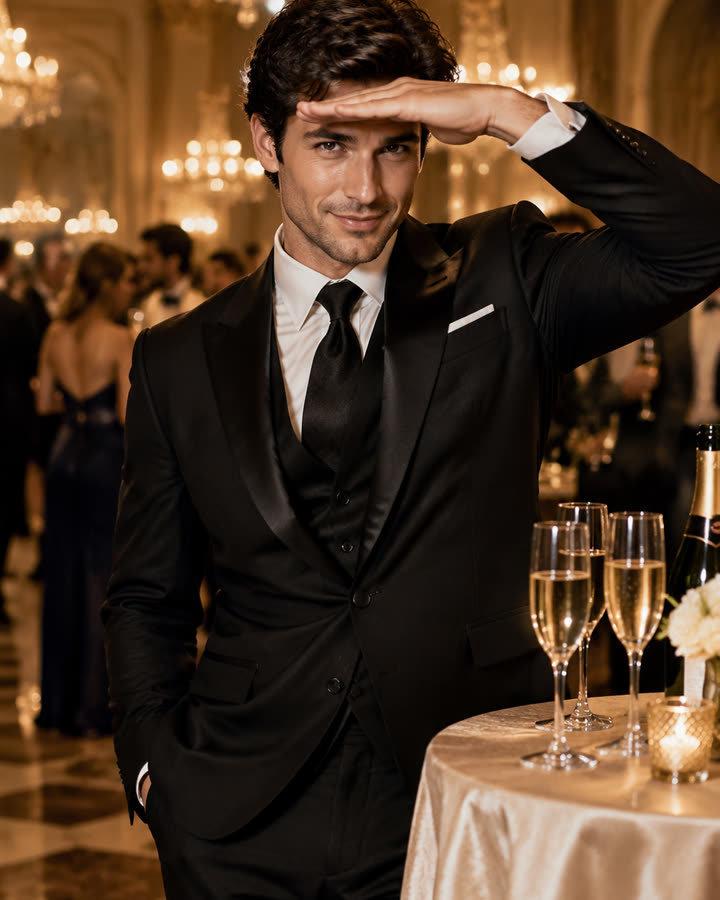
12 / 1 photo
Burning Bridges
Step out of a glamorous chandelier party, pour the champagne glasses with a confident smile and finish with the hand-over-the-eyes look. A short, silent clip from one photo.
Try this effect
13 / 2 photos
AI Hug
Turn two photos into a short, silent clip of two people sharing a warm, natural hug in a cozy living room. For friends, family or someone you miss.
Try this effect